Guide menu
From first takeoff to choosing the next investigation: use Match Velocity, the Signalscope, Little Scout and Ship Log without reading more answers than you need.
What is Outer Wilds?
From first takeoff to choosing the next investigation: use Match Velocity, the Signalscope, Little Scout and Ship Log without reading more answers than you need.
Edition: Outer Wilds PC (Steam) base game. Echoes of the Eye puzzles are covered separately. Normal play with Japanese display, with English proper names alongside.
Verification scope: Sources checked on 2026-10-04, referring to official Patch 16 and the 2025-06-24 Steam fix announcement. Installed build unverified. Controls use action names to avoid binding differences.
Sources checked: 2026-10-04
10 / 10 rows
Start here for controls and exploration; base-game answers and DLC are separate
Outer Wilds is a space-exploration mystery developed by Mobius Digital and published by Annapurna Interactive. The Steam version released on June 18, 2020 and supports Japanese. Progress comes from knowledge that reaches new locations rather than repeated experience or equipment upgrades.
Wide tables scroll horizontally.
| What you want to know | Guide | Spoiler scope |
|---|---|---|
| Flying and choosing the next investigation | This overview guide | Tools and early exploration approach |
| Entering particular ruins or finishing the base game | Base-game walkthrough | Location-specific hints, closed answers and endgame steps |
| Starting and progressing in Echoes of the Eye | DLC guide | Opening hints and DLC answers kept separate from the base game |
No matching entries in this table. Shorten the query or clear it to restore all entries.
Using a guide is not a failure. Read just one hint for the place you need, then try the rest in the game.
First departure: practice tools in the village and choose one nearby destination
You can fly far away immediately after getting launch codes, but village practice reduces later accidents in space.
- Inspect the museum's Nomai writing, Ghost Matter and quantum exhibits to see what can be observed
- Practice finding sound directions and matching velocity through Signalscope hide-and-seek and the zero-gravity cave
- Put on your spacesuit after boarding. Check it again immediately before stepping outside after landing
- If undecided, visit Timber Hearth's moon, the Attlerock, and investigate Esker and the southern ruins
- Back aboard, check new Ship Log entries and choose one next destination
Starting at the Attlerock is one approachable practice example, not a required progression order.
Spaceflight: watch relative speed as well as distance
Stopping thrust does not immediately cancel your existing speed. Slow before approaching, lock onto the target and use Match Velocity.
- Take off, allow room around you and lock onto the destination body
- Approach while checking distance and relative speed. Avoid prolonged hard acceleration nearby
- Before autopilot, check whether the Sun or another body lies in the route
- Use Match Velocity to reduce approach speed before landing; inspect ground orientation and altitude with the landing camera
- While drifting outside, lock onto the object you want to stop relative to and match velocity
Match Velocity matches speed relative to a target. It does not remove gravity or guarantee continued automatic safety.
Use three tools according to your investigation
Do not restrict the Little Scout to firing into holes or the Signalscope to looking into the distance.
Wide tables scroll horizontally.
| Tool | Practical use | How it helps |
|---|---|---|
| Translator | Read every branch of Nomai writing through to the end | Learn a place's purpose, experimental conditions and leads to other bodies |
| Signalscope | Change frequencies and follow direction and distance. Approach unknown signals to identify them | Investigate explorers' instruments, distress signals and quantum signals |
| Little Scout | Send it into unseen holes or branches; inspect images and hazard readings | Avoid Ghost Matter along your route and inspect platforms or distant spaces |
| Scout camera | Check what appears in its photographs | Investigate conditions not apparent to naked-eye viewing and observation-based mechanisms |
No matching entries in this table. Shorten the query or clear it to restore all entries.
Do not judge Ghost Matter safety only from ground crystals. Photograph the actual route you intend to take.
Ship Log: distinguish question marks from more to explore
Rumor Mode links related discoveries across bodies. Instead of rereading everything, select this trip's entry and the lines connected to it.
- For places already visited, check whether you can mark the location on the HUD through the Ship Log
- Narrow the next loop's goal from exploring an entire planet to investigating a particular door's condition
Wide tables scroll horizontally.
| Display | Meaning | Next action |
|---|---|---|
| Question-mark entry | You have heard about the location but have not reached it | Read other entries connected to that place |
| Orange mark / more to explore | Additional records remain at that location | Check unread writing, conversations, projection stones and other device displays |
| New entry | Information from the previous expedition | Identify a condition or another place name and make it the next trip's objective |
No matching entries in this table. Shorten the query or clear it to restore all entries.
Even after an entry's mark disappears, a related answer may remain elsewhere.
Time and supplies: arrival time changes routes at the same place
Terrain changes within a loop. An impassable route may require early arrival or waiting for a change, rather than another upgrade.
- Check time-freezing settings for reading writing and the Ship Log. Do not assume time stops in every situation even when enabled
- For places that close later, reduce detours after waking
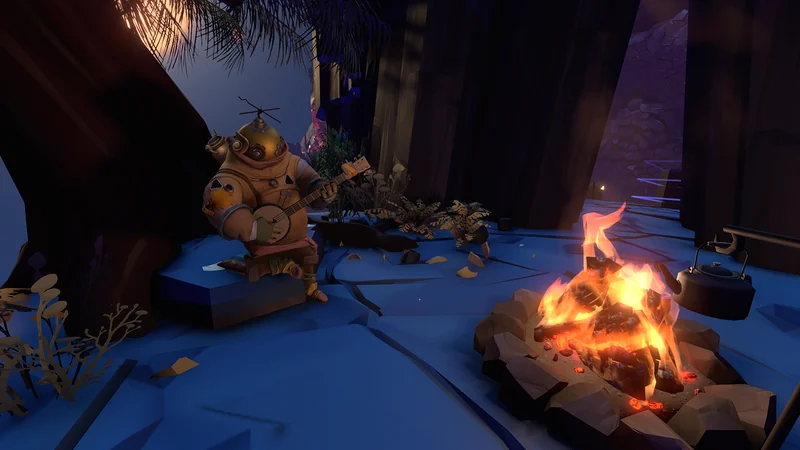
- Use Doze Off at a campfire when waiting for change. Excessive waiting may miss an entrance, so observe the change locally the first time
- Use the ship as a supply base when oxygen or fuel runs low. Check oxygen supply indications and the onboard refueling equipment
You do not need to finish everything within one loop. Even after an accident, carry learned information and Ship Log entries into the next investigation.
Adjust readability and controls
If text is too small, the officially added UI Size option offers Large. Check your platform's settings for inverted controls and field of view too.
- On PC, check on-screen prompts and key bindings rather than copying old guides' button labels
- If text or UI is difficult to read, inspect UI Size under Audio & Language
- Pause when prolonged play becomes uncomfortable, then return to one investigation goal at a time
Field-of-view changes can affect how some observation puzzles appear. Settings changes are not guaranteed to eliminate motion sickness.
Outer Wilds FAQ

Basilisk V3 X HyperSpeed

Razer Huntsman Mini

Game Design Brain

Steam ¥10,000
Affiliate links to Amazon Japan. Purchases may earn us a commission at no extra cost to you. Check the retailer for current prices.
Game Music Collection
PowerA Fusion Pro
eShop ¥5000 — Rakuten
Balatro strategy guide
Affiliate links to Rakuten Japan. Listed prices are indicative; check the retailer for current prices.

DualSense Edge
See product details and current availability on Amazon Japan.

Affiliate links to Amazon Japan. We may earn a commission on purchases. Listed prices are indicative and may change.
This week in the community
Guide videos
Opens YouTube, an external website.
Related games
- → ANIMAL WELL Exploration built on discoveries
- → COCOON (Japanese) Puzzles about reading a quiet world
- → The Roottrees are Dead (Japanese) Investigation and deduction mystery

ANNE PRO 2
See product details and current availability on Amazon Japan.

GameSir T4 Pro

JVC GG-01

AOC Q27G2U

Steam Deck OLED
Affiliate links to Amazon Japan. We may earn a commission on purchases. Listed prices are indicative and may change.