Guide menu
A guide to placement legality, terrain connections, quests, scoring and tile replenishment, mainly for Classic on PC. Find the next article and action from the display that is causing trouble.
▶ Start a guide
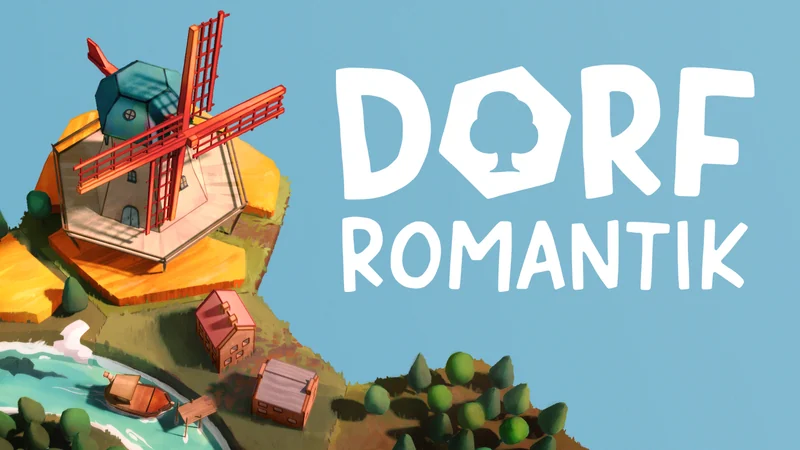
What is Dorfromantik?
A guide to placement legality, terrain connections, quests, scoring and tile replenishment, mainly for Classic on PC. Find the next article and action from the display that is causing trouble.
Edition: Dorfromantik PC Steam base game (app 1455840), mainly Classic. Quick, Hard, Creative, Custom and Monthly are distinguished separately. The board game, console editions and individual DLC landscapes are outside scope.
Verification scope: Public sources checked on 2026-10-04, including the official July 9, 2026 Patch 1.2.3 announcement. Game launch, the installed build and behavior across all saves have not been tested.
Sources checked: 2026-10-04
19 / 19 rows
Check the mode before reading
This puzzle expands a landscape by placing hexagonal tiles. In Classic, you spend your supply and replenish it through placements and quests. The main task is checking a move before committing, rather than acting under time pressure.
Wide tables scroll horizontally.
| What to check | This guide's baseline | If yours differs |
|---|---|---|
| Game | PC Steam digital edition | Do not use the scoring rules of the board game with unlockable boxes. |
| Mode | Classic | Keep Quick's placement limit, Creative's tools and Custom settings separate. |
| Display language | The official Steam listing supports a Japanese interface. | Compare the English mode name and settings if labels differ. |
| Version | Official updates checked through 1.2.3 | Do not apply obsolete Early Access control limitations or unlock prerequisites unchanged. |
No matching entries in this table. Shorten the query or clear it to restore all entries.
The numbers here come from public-source comparison, not measurements taken by playing the current build.
Choose the next guide from the symptom
Wide tables scroll horizontally.
| Problem | Current state | First check | Guide to read |
|---|---|---|---|
| Cannot place a tile in an empty space | The space borders a river or railway. | Check every touching edge and rotate the candidate. | Beginners: legal placements and matches |
| The supply falls despite matching edges | Only some edges connect. | Did any tile newly complete all six edges? | Scoring and replenishment: points and tile counts |
| The number does not decrease, or a quest fails | You added terrain with the same appearance. | Does it connect to the same group? Is there a plus sign? | Quests: reading the numbers |
| A flag remains despite surrounding the area | The visible outer boundary is filled. | Hover over the flag and check interior holes too. | Quests: enclosure conditions |
| Tiles with different colors are confusing | Several landscape styles are mixed. | Check edges and connection highlights rather than color alone. | Beginners: inspecting the display |
| Want to continue the same landscape after the run | Classic's supply has run out. | Distinguish the recorded result from continuing in Creative. | Scoring and replenishment: ending and resuming |
| Want more visual options | Some entries remain locked. | Separate run quests from long-term challenges. | Quests: collapsed unlock examples |
No matching entries in this table. Shorten the query or clear it to restore all entries.
Names and individual unlock requirements are inside the relevant collapsed entries. Ordinary placement and scoring rules remain visible.
Legal placement, matching edges and connected regions are separate tests
Wide tables scroll horizontally.
| Test | What it determines | How to inspect it | Common misunderstanding |
|---|---|---|---|
| Can the tile be placed? | Whether this orientation can be committed | Inspect the placement preview and river or railway contacts. | A legal placement does not necessarily score well. |
| Do touching edges match? | Matching-edge points and potential Perfects | Inspect matching and mismatching edge highlights. | Three matching contacts are not complete if the other three edges remain empty. |
| Is it the same group? | Whether it counts toward the quest | Hover and inspect the highlighted connected group. | Lake and grass edges can match, but grass does not add to a water group's count. |
| Is the region enclosed? | Whether a flag quest finishes | Check for empty edges where that group can still expand. | Region enclosure is not the same condition as a six-edge Perfect. |
No matching entries in this table. Shorten the query or clear it to restore all entries.
Combining every forest, house or field into one huge group can make exact-number quests and later enclosure more difficult.
A short checklist before committing
- Check the current tile and supply. Decide whether replenishment is needed on this move.
- Rotate the candidate and first eliminate river or railway restrictions and mismatching contacts.
- If it has a quest, inspect the destination group and the resulting count. Reject options that exceed an exact target.
- Try the same tile elsewhere. Compare immediate points, replenishment and openings for the next tile before committing.
This is an editorial checklist, not a guaranteed optimal solution to random tile order, a target score or endless play.
Distinguish pausing, undoing and starting a new run
Wide tables scroll horizontally.
| Goal | Feature | Check first |
|---|---|---|
| Replace the previous move | Undo | Check whether the last placement can be undone before taking another turn. |
| Continue the same run later | Saved games and Resume in the menu | Check that the mode, landscape and score identify the intended save. |
| Experiment without limits | Creative | Check that this is a different mode from a Classic score attempt. |
| Start over with a different tile sequence | New game | Deleting an existing save is unnecessary. |
No matching entries in this table. Shorten the query or clear it to restore all entries.
Undo is not an unrestricted history rewind. Autosave timing around Undo and Resume has not been tested in game; arbitrary past states cannot be guaranteed recoverable.
Dorfromantik FAQ

iiyama 27" FHD

Basilisk V3 X HyperSpeed

ANNE PRO 2

How to Write Game Scenarios
Affiliate links to Amazon Japan. Purchases may earn us a commission at no extra cost to you. Check the retailer for current prices.
Balatro strategy guide
HORI mini controller for Switch
Rakuten Points ¥3000
PowerA Fusion Pro
Affiliate links to Rakuten Japan. Listed prices are indicative; check the retailer for current prices.

Steam Deck OLED
See product details and current availability on Amazon Japan.


Affiliate links to Amazon Japan. We may earn a commission on purchases. Listed prices are indicative and may change.
This week in the community
Guide videos
Opens YouTube, an external website.
Related games
- → COCOON (Japanese) A puzzle about reading a quiet world
- → Timberborn A beaver colony built around water management
- → Baba Is You (Japanese) A puzzle about rewriting rules
Steam Deck OLED
See product details and current availability on Amazon Japan.

Steam ¥3,000

Razer Viper V3 Pro

G PRO X 60

8BitDo Pro 2
Affiliate links to Amazon Japan. We may earn a commission on purchases. Listed prices are indicative and may change.