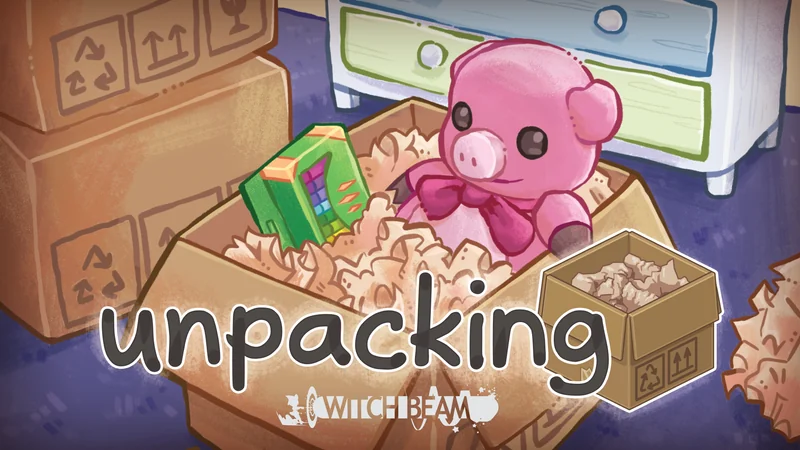
Guide menu
Distinguish items that will not fit from items that fit but receive red outlines. Find PC controls, free-placement settings, year-by-year help, and all 25 Steam achievements.
▶ Start a guide
What is Unpacking?
Distinguish items that will not fit from items that fit but receive red outlines. Find PC controls, free-placement settings, year-by-year help, and all 25 Steam achievements.
Edition: Unpacking PC (Steam) base game. Normal placement rules are the baseline; Allow items anywhere is explained separately. Covers 25 Steam achievements, excluding the PlayStation platinum and mobile or Unpacking+ specifics
Verification scope: Public sources cross-checked on 2026-10-04. Installed build and every possible placement cell have not been exhaustively tested. Left/right clicks refer to PC defaults; use current bindings if changed
Sources checked: 2026-10-04
12 / 12 rows
When stuck, check boxes, the held item, then outlines
Unpacking is Witch Beam's puzzle game about unpacking. Without time limits or scores, it follows changing possessions and rooms across eight moves. Under normal settings, you must both empty the boxes and meet placement conditions.
- Check the whole home, not only the current room, and unpack any remaining boxes
- Actually place and release the final item held by the cursor
- Once every box is empty, move items with red outlines. If you changed the outline color, look for that color instead
- Select the completion star at the bottom right when it appears to continue to the next year
Choose a page for your goal
Wide tables scroll horizontally.
| Problem | Page to read | Coverage |
|---|---|---|
| Controls and finding storage | Beginner guide | Clicking, rotation, shelves and drawers, and display settings |
| Finishing a particular year | Year-by-year walkthrough | Rooms and troublesome items from 1997 to 2018 |
| Returning for achievements | Achievement guide | All 25 conditions, relevant years, and revisiting through the album |
No matching entries in this table. Shorten the query or clear it to restore all entries.
Specific year-by-year placements and achievement answers have separate closed sections. Open only the part where you are stuck.
Three different reasons an item seems impossible to place
Wide tables scroll horizontally.
| On-screen state | What to check | What to try |
|---|---|---|
| The held item is translucent and cannot be placed | Whether that surface has enough physical space | Rotate it, move items in front, and allow enough shelf depth |
| It can be placed, but its outline flashes at the end | Whether this storage location suits the item | Try another surface or room rather than moving it tiny distances on the same shelf |
| No outline is visible and no completion star appears | Whether unpacking is complete | Check other rooms, screen edges, overlapping boxes, and small items still held |
No matching entries in this table. Shorten the query or clear it to restore all entries.
Red outlines do not grade the appearance of your room. They prompt you to reconsider an item's furniture or surface.
Do not assume an item belongs in the room containing its box
A box in the bathroom can contain clothes intended for another room. First choose a destination by the item's use, then look there for shelves, drawers, or hooks.
Wide tables scroll horizontally.
| Type | Where to look | Easily overlooked storage |
|---|---|---|
| Clothes and underwear | Bedroom clothing storage | Behind closed doors, in drawers, or in storage boxes |
| Tableware and cooking utensils | Kitchen | Lower cupboards and shallow drawers, not only upper shelves |
| Toothbrushes and bathing supplies | Washroom or bathroom | Under the sink, shower shelves, and hooks |
| Books, games, and art supplies | Bedroom, living room, or workspace | Compartments below the desk, top shelves, and boards |
No matching entries in this table. Shorten the query or clear it to restore all entries.
This table narrows your search. It is not a universal rule for every item in each category.
Choose between the placement puzzle and free decoration
Enable Allow items anywhere under Accessibility to progress without solving placement correctness. This does not provide unlimited surface space or allow every overlap.
Wide tables scroll horizontally.
| Setting | Usual progression requirement | Useful for |
|---|---|---|
| Off | Unpack items and meet normal placement conditions | Using red outlines to work out storage |
| On | Unpack items and put them on surfaces where they fit | Prioritizing decoration or switching for a particular year |
No matching entries in this table. Shorten the query or clear it to restore all entries.
Free placement is an official option. Achievements still require their individual actions; pay attention to achievements involving correct plant placement too.
Read the story through changing placement options as well as new belongings
Notice whether an item survives the next move and whether something once displayed can still be displayed. Struggling to find a place can itself provide a narrative clue.
- Remember one item you liked in the previous room
- Compare its condition and treatment in the next year
- Distinguish your interpretation from whether a placement is actually accepted
This guide does not impose one interpretation of the people or their lives. Using a guide or playing with free placement is not treated as failure.
Unpacking FAQ

Steam Deck OLED

HyperX Cloud III

LG UltraGear 27GP850

G PRO X SUPERLIGHT 2
Affiliate links to Amazon Japan. Purchases may earn us a commission at no extra cost to you. Check the retailer for current prices.
Balatro strategy guide
ELECOM controller
Rakuten Points ¥3000
eShop ¥5000 — Rakuten
Affiliate links to Rakuten Japan. Listed prices are indicative; check the retailer for current prices.

REALFORCE R3S
See product details and current availability on Amazon Japan.

DualSense Edge

Sony INZONE H9
Affiliate links to Amazon Japan. We may earn a commission on purchases. Listed prices are indicative and may change.
This week in the community
Guide videos
Opens YouTube, an external website.
Related games
- → Dorfromantik Relaxed tile-placement puzzles
- → ReStory: Chill Electronics Repairs (Japanese) Relaxing hands-on play
- → COCOON (Japanese) Puzzles in a quiet world

Steam Deck OLED
See product details and current availability on Amazon Japan.

Steam ¥10,000

Basilisk V3 X HyperSpeed

G PRO X 60

8BitDo Pro 2
Affiliate links to Amazon Japan. We may earn a commission on purchases. Listed prices are indicative and may change.