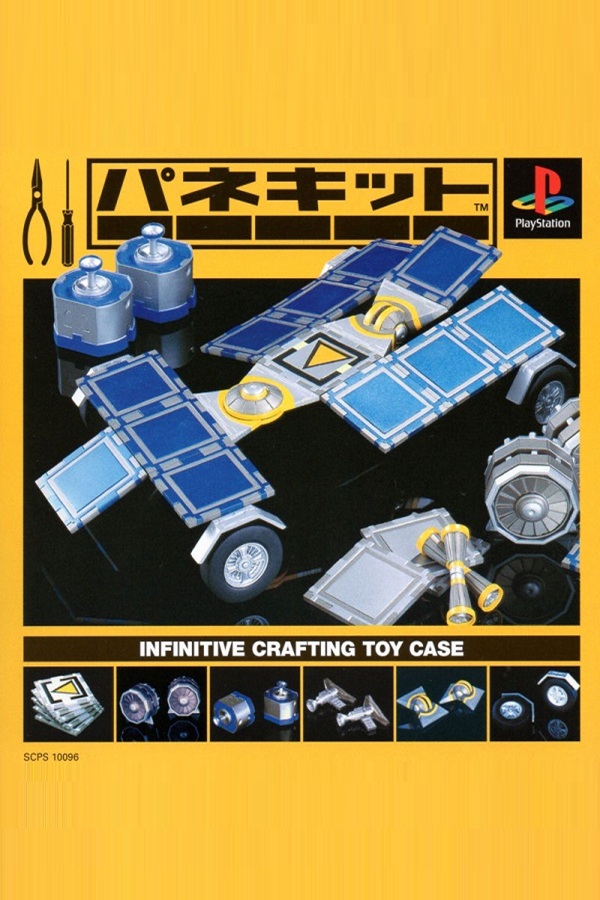
Reference cover image reused from the Japanese guide. Artwork may differ by edition. Game artwork belongs to its respective rights holders.
Panekit Guides
A PS1 sandbox for freely combining panels, motors, joints, and other parts into vehicles such as cars and planes, then moving them according to the laws of physics. Its appeal is a limitless construction toy box offering both predefined missions and free creation. It originated from SCE's Game Yaroze! creator-discovery initiative. The core approach is vehicle design that accounts for center of gravity, power, and control assignments, together with configuring input settings.
English translation of the existing Japanese guide. Japanese-release names and mechanics are retained; this is not a new gameplay verification or a claim of complete coverage.
Early game
Learn assembly and control fundamentals
- ・Learn to connect, rotate, and align parts
- ・Try assigning forward and reverse inputs to a motor
- ・Complete a small, simple vehicle
Midgame
Design vehicles that drive or fly reliably
- ・Use the center of gravity and ground-contact points to create a shape resistant to tipping
- ・Adjust power direction and output through test runs
- ・Focus shape and performance on the mission's objective
Late game
Tackle difficult missions and refine free creations
- ・Break down each challenge's required movements, such as speed, turning, or airtime
- ・Organize control settings by role for easier handling
- ・Save completed vehicles and create improved variants
Problem: The vehicle immediately tips or rolls over when driven
Cause: The center of gravity is high, or weight is unbalanced across the front/back or sides
Solution: Lower heavy parts to bring down the center of gravity and add ground-contact support points for stability
Problem: It does not move in the intended direction, or controls are confusing
Cause: Motor rotation directions and input assignments are inconsistent
Solution: Review input settings and reassign buttons by function, such as forward movement and turning
Problem: You cannot meet the mission objective
Cause: Vehicle performance does not match the required speed, climbing, airtime, or other demands
Solution: Identify what is lacking and rebuild with power and parts specialized for that purpose
🧩 Panekit: building and mission progression
Panekit's freedom makes large initial designs difficult to control and adjust. Begin with minimal parts and complete a simple vehicle that only needs to move forward. Experiencing assembly, controls, and driving as a complete sequence makes later design much easier to understand.
Building and mission progression — read →📖 Panekit fundamentals: parts, physics, and controls
Connect panels, motors, joints, and other parts to build vehicles. Parts serve different roles: framework, power sources, or joint-like movement. Combining these creates varied machines. Learn what each part does through hands-on experiments.
Basic systems — read →🔧 Panekit: choosing parts and panels
Parts broadly serve as framework, power sources, joints, and similar functions. Imagine the desired vehicle movement and begin with the roles needed to achieve it for a design without wasted elements.
Parts and panels — read →
Surugaya Retro Games
Find used games, consoles and strategy guides in one place
Find Panekit on Surugaya
Used games, strategy guides and related goods
Find used copies of Panekit
Used items on Amazon
Panekit strategy guides and guidebooks
Search strategy guides on Rakuten Books
Find Panekit on Rakuten
Used items and related goods on Rakuten Marketplace
This section contains advertising and affiliate links. Purchases through Amazon Associates, Rakuten, Surugaya and other linked retailers may earn us a commission.
Panekit Guide FAQ

Nintendo Switch 2
See product details and current availability on Amazon Japan.

Steam ¥5,000

MX Master 3S

G PRO X 60
Affiliate links to Amazon Japan. We may earn a commission on purchases. Listed prices are indicative and may change.
Panekit Buying and setup FAQ

G PRO X 60

History of Game Music

Amazon gift card ¥3,000

GameSir T4 Pro
Affiliate links to Amazon Japan. Purchases may earn us a commission at no extra cost to you. Check the retailer for current prices.
PowerA Fusion Pro
eShop ¥5000 — Rakuten
Balatro strategy guide
Game Design Bible
Affiliate links to Rakuten Japan. Listed prices are indicative; check the retailer for current prices. The Japanese source also mentions Rakuten Points; current eligibility has not been verified.