Guide menu
A guide hub covering the three arenas, Init and energy, knockback, equipment and card colors, healing, card removal, and class unlocks.
▶ Start a guide
What is Alina of the Arena?
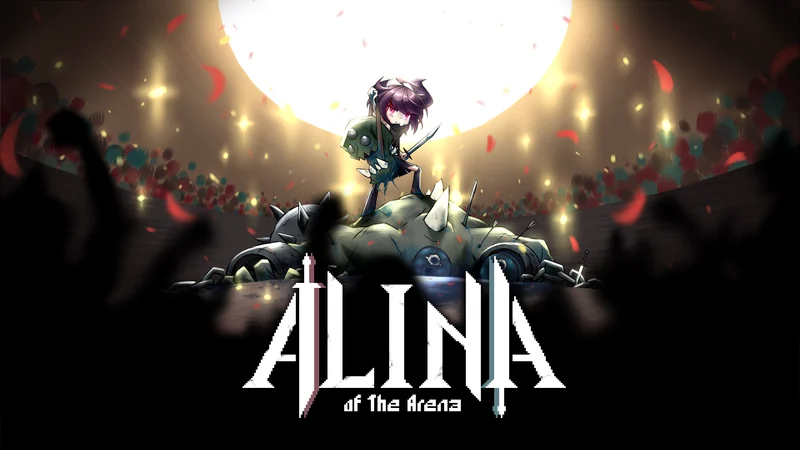
A roguelike deckbuilding tactics game that its developers describe as combining elements of Slay the Spire and Into the Breach. Survive in the arena as a gladiator entertaining a bloodthirsty crowd. Its hex-based tactics make positioning through dodges and knockback central to survival, alongside attacking and defending. A dual equipment system enhances the cards in your hand through combinations such as two daggers, a one-handed sword and shield, or a two-handed greatsword. Finding the right fit between your deck and equipment is at the heart of the game. The Japanese source recorded 3,961 Steam reviews and a Very Positive rating. Japanese is supported.
Edition: Primarily the full PC Steam release; shared combat rules were also cross-checked against a Switch review.
Verification scope: Official announcements were checked through the October 14, 2025 fix. The current in-game build number has not been verified. Earlier v1.2.2 information and Early Access are treated separately.
Sources checked: 2026-10-04
16 / 16 rows
Your first goal: end the turn somewhere safe
Alina of the Arena asks you to think about hex-grid positioning and deckbuilding together. Beyond counting the cards that can kill enemies, check which attacks will reach you after your actions.
- Check enemy firing lines, attack areas, and your current hand
- Decide whether you need to move with Init before using any other card
- Match your equipment colors with the combat cards you plan to use
- Handle attacks from enemies you cannot defeat through a combination of movement, collision stuns, and block
You do not have to discard every starting defense card and rely entirely on dodging. Depending on your hand and enemy attack areas, some turns call for block.
Run progression: choose combat and preparation across three arenas
A normal run passes through Slave Arena, Underground Arena, and Royal Arena. In each arena, consider the three columns of options and choose the order of fights, rests, and shop visits.
- Win Fight or Elite encounters until you meet that arena's requirement to challenge its Champion
- Once you meet the requirement, decide whether to challenge the Champion immediately or continue preparing through the remaining options
- Weigh the rewards of extra fights against the risk of losing HP
- Before the Champion, check your movement options, defenses, main equipment, and consumables
Follow the counter shown on your screen for the required wins. A PC introductory play article shows three wins, while a Switch review describes five battles; this guide does not present one fixed number as applying to every mode.
What you can do between fights
Work backward from what you need for the next fight. Consider healing if your HP is dangerously low, removal if you keep drawing weak cards, or a color change if usable cards do not match your equipment.
Wide tables scroll horizontally.
| Option | Main purpose | Check before choosing |
|---|---|---|
| Fight/Elite | Victory rewards and progression. Elites also relate to unlocking unique cards | Current HP and movement or attacks that can handle the enemy |
| Rest | Restore HP or upgrade one card | Whether you can survive the next fight if you choose the upgrade |
| Meditate | Choose between gaining a card, removing one card, or changing a card's color | Whether you need to fill a gap or reduce unwanted cards |
| Shop | Choose either the card shop or item shop to make purchases | What you want to buy and how much gold you can spend |
| Event | Choose according to the conditions presented | What you give up and gain, including HP or equipment |
No matching entries in this table. Shorten the query or clear it to restore all entries.
A shop visit does not mean you can freely use both the card and item sections on the same visit. Decide what you need before choosing to avoid a wasted stop.
Decide on Init first, and budget energy for after moving
Your normal starting energy is 3. Init (Initiative) is a movement card available at the start of each turn; it normally costs 1 energy to move one tile. It disappears if you play another card first, so you cannot save it as a retreat after attacking.
- Before playing a card, choose where you will end up if you move with Init
- Count how much attacking, defending, and further movement your remaining energy allows
- Even if you skip Init, check whether your position is safe for the enemy turn
Equipment, status effects, and card effects can change costs. In the normal example, spending 1 of your 3 energy on Init leaves 2, but always calculate with the actual costs displayed in your hand.
Red and blue match equipment; they do not mean attack and defense
Attack cards can be red or blue, and defense cards also come in both colors. Equipment in the matching color slot enhances combat cards, so carrying a sword and shield does not automatically strengthen every attack and defense.
Wide tables scroll horizontally.
| Equipment setup | What to check |
|---|---|
| One-handed weapon + shield | Whether you have enough attack cards matching the weapon color and defense cards matching the shield color |
| Two one-handed weapons | Check the effects applied to attacks of both colors, plus any gaps in defense and movement |
| Two-handed weapon | Uses both slots. Do not plan on equipping a shield at the same time |
| Gray / colorless cards | Do not assume they receive the same combat enhancement from equipment colors |
No matching entries in this table. Shorten the query or clear it to restore all entries.
Left and right can be confusing depending on how you view the screen, so remember the red and blue slots. Read each weapon's details, including range and fatigue, even for two-handed weapons.
Use knockback to create collisions as well as distance
An empty tile behind an enemy lets you push it away; a wall or another enemy gives you an opportunity for a collision stun. The direction of your push changes the threats left that turn.
- Check the tile behind the enemy you want to push
- Look for a direction that pushes it into a wall or another enemy
- Check for traits that prevent knockback before choosing a card
- After positions change, read the other enemies' attack previews again
Pushing an enemy does not guarantee that every enemy attack disappears. Check for remaining area attacks and firing lines from other directions. The beginner guide covers specific examples.
Class unlocks: distinguish arena clears from run attempts
The first introduction starts you as a Slave. Afterward, use the class selection screen to compare starting equipment and unique cards. The following unlock conditions were documented in independent guides from around the full PC release.
Wide tables scroll horizontally.
| Class | Documented condition | What to note |
|---|---|---|
| Slave / Warrior | Listed as starting options. The first introduction uses Slave | Distinguish the introductory fight from subsequent class selection |
| Hunter | Clear the first arena | A starting setup built around ranged weapons |
| Pyromancer | Clear the second arena | The official v0.8.8 notes also documented a correction to require clearing Underground Arena |
| Deprived | Clear the final arena | Check unlocks separately from difficulty increases |
| Mercenary | Attempt 5 runs | This does not mean 5 wins |
| Bandit | Attempt 8 runs | Cumulative run attempts |
| Samurai | Attempt 11 runs | Cumulative run attempts |
No matching entries in this table. Shorten the query or clear it to restore all entries.
The exact point at which the 5, 8, and 11 attempts are counted—starting, dying, or retiring—has not been checked in the current game. This guide does not recommend immediately retiring on purpose as an unlock method. If your screen shows different requirements, follow those.
Difficulty and card unlocks follow separate progression
Rookie and Veteran are available initially. Some sources describe unlocking Warlord and Hardcore / expert-type modes with save restrictions after a clear.
- For your first run, choose a difficulty that lets you learn attack previews and equipment colors
- Defeat certain Elites or Champions for the first time to expand your card options
- Once you can win, read the unlock screen before moving to the next difficulty
Hellwalker has further difficulty tiers, but older sources disagree on the cap. The maximum value, exact higher-difficulty unlock process, and current save opportunities remain unverified in-game and are kept out of this beginner guide.
Distinguishing PC, console, and older guides
The Steam version left Early Access in 2022, and console versions followed in 2023. Some older sources still contain Early Access card stats or platform-specific button instructions.
- Check a guide's update date and target platform first
- Read current costs, damage, and shop prices in the game
- Check remaining skill uses and their recovery timing on screen; do not decide to spend them all based only on an old article
The official October 14, 2025 announcement concerned a Unity vulnerability fix. An earlier announcement labeled v1.2.2 is not presented here as the latest 2026 build number.
Alina of the Arena FAQ

JVC GG-01

Samsung Odyssey G4

Basilisk V3 X HyperSpeed

G PRO X 60
Affiliate links to Amazon Japan. Purchases may earn us a commission at no extra cost to you. Check the retailer for current prices.
ELECOM controller
Rakuten Points ¥3000
Roguelike Design Theory
eShop ¥5000 — Rakuten
Affiliate links to Rakuten Japan. Listed prices are indicative; check the retailer for current prices.

G305 LIGHTSPEED
See product details and current availability on Amazon Japan.

Keychron Q1 V2

DualSense Edge
Affiliate links to Amazon Japan. We may earn a commission on purchases. Listed prices are indicative and may change.
This week in the community
Guide videos
Opens YouTube, an external website.
Related games
- → Slay the Spire An influence named by the developers
- → Into the Breach (Japanese) Board tactics cited by the developers
- → Roguebook (Japanese) Deckbuilding with positioning

Xbox controller
See product details and current availability on Amazon Japan.

ATH-M50x

BenQ MOBIUZ 27"

Steam Deck OLED

Amazon gift card ¥3,000
Affiliate links to Amazon Japan. We may earn a commission on purchases. Listed prices are indicative and may change.